Scam emails used to be easy to spot: bad spelling, strange greetings, obvious lies. Not any more. With AI, criminals can write a perfect email in your supplier's style, clone a voice from a short video, and send thousands of convincing messages in minutes. Here's what that means for your business, and the practical steps that keep your accounts safe.
Why this matters more than ever
South Africa is one of the most targeted countries in Africa. INTERPOL's 2026 African Cyberthreat Assessment linked AI to about 55% of reported cybercrime on the continent, and named South Africa as particularly exposed because of its advanced digital economy. ESET found that phishing made up 45.7% of detected threats in South Africa in the second half of 2025.
Small businesses are not too small to be targeted. They are often targeted because they have fewer defences. And the most valuable thing a criminal can steal is usually not your website. It's your email account, because it can reset the passwords of everything else.
How AI has changed the scams
- Perfect phishing emails. AI writes in flawless English (or Afrikaans, or isiZulu), copies the tone of your bank or supplier, and personalises messages using information from your website and social media.
- Fake invoices and changed bank details. A "supplier" emails to say their banking details have changed. The email looks exactly right, sometimes because it really comes from your supplier's hacked mailbox.
- Voice and video deepfakes. A few seconds of someone's voice from a video can be enough to clone it. Staff have received calls from a "director" urgently asking for a payment.
- Fake login pages. Professional-looking copies of your email, bank or hosting login page, sent in a link.
- QR code phishing. A QR code on a poster, invoice or email that leads to a fake payment or login page.
7 steps that protect your accounts
1. Turn on two-factor authentication (2FA) everywhere
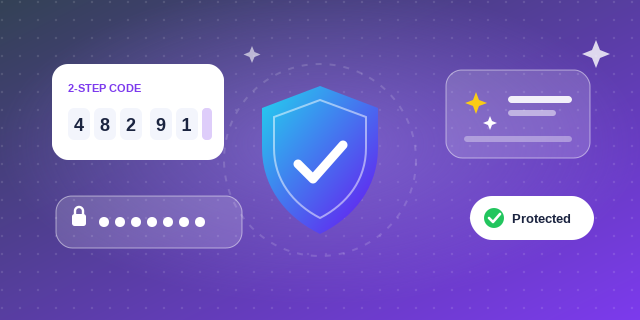
Two-factor authentication asks for a second proof, usually a six-digit code from an authenticator app on your phone, after your password. Even if a criminal steals your password, they can't get in without your phone.
Start with the accounts that matter most: email, banking, hosting and domain, your website admin, and social media. Afriweb requires two-factor authentication on client accounts for exactly this reason.
2. Use a different, strong password for every account
When one website is breached, criminals try the same email and password everywhere else. A password manager creates and remembers long, unique passwords for you, so you only need to remember one strong master password.
3. Protect your email like your bank account
Your email is the master key: password resets go there. Use 2FA, a unique password, and check your email settings now and then for forwarding rules you didn't create. Attackers often add a hidden rule that copies your mail to them.
4. Never change bank details because of an email
Make it a firm rule: any change of banking details must be confirmed by phone, on a number you already have, not one in the email. This single habit stops one of the most expensive scams in South Africa: business email compromise.
5. Slow down when a message is urgent
Scams create pressure: "Pay within the hour", "Your account will be closed", "Don't tell anyone, this is confidential". Urgency is a warning sign. Stop, and check through a different channel.
6. Type the address yourself
Don't log in through links in emails or messages. Type the address you know, like afriweb.co.za, or use a bookmark. Check for the padlock and the correct spelling before you enter a password.
7. Keep your website and software updated
Outdated website software and plugins are a common way in. Keep everything updated, remove plugins you don't use, keep daily backups, and run a supported PHP version (see our hosting and domain news about PHP 8.2's end of life).
Using AI safely in your business
AI tools are genuinely useful for writing product descriptions, answering emails and planning content. Use them wisely:
- Don't paste passwords, customer ID numbers or banking details into AI chat tools.
- Remember POPIA: customer information belongs to your customers. Only share what you must.
- Check AI-written facts before you publish them.
What to do if you think you've been hacked
- Change the password of the affected account from a clean device, and turn on 2FA.
- Sign out of all sessions and check the account's security and email forwarding settings.
- Contact your bank immediately if payments or banking details are involved.
- Tell your hosting provider, so they can check your website and email, and restore a backup if needed.
- Warn your customers and suppliers if your email may have sent fake messages.
Security is a habit, not a product
No tool makes you 100% safe, but these habits stop the vast majority of attacks. Turn on 2FA today, use a password manager, and agree on a call-back rule for payments. Those three steps alone put your business ahead of most.
Frequently asked questions
What is two-factor authentication?
Two-factor authentication (2FA) asks for a second proof after your password, usually a six-digit code from an app on your phone. A stolen password alone is then not enough to get into your account.
Are SMS codes safe enough?
SMS codes are better than nothing, but an authenticator app is safer, because SIM-swap fraud can redirect your SMS messages to a criminal.
How do I recognise an AI phishing email?
Spelling mistakes are no longer a reliable sign. Watch instead for urgency, unexpected requests to log in or pay, changed bank details and links to slightly different web addresses. When in doubt, check through a different channel.
What should I do if a supplier emails new banking details?
Do not pay. Phone the supplier on a number you already have (not one from the email) and confirm the change before you update anything.