You have a product, a name and maybe even a website. Now comes the question every new online shop asks: how do people actually pay me? This guide explains, in plain language, the ways South Africans pay online, what a payment gateway does, what it costs and how to choose one, without the jargon.
How South Africans pay online
Before you choose anything, think about how your customers like to pay. Offering the right two or three options matters more than offering ten. These are the main ones:
- Card payments (credit and debit cards): the most common way to pay online. The customer types their card details on a secure payment page and usually confirms in their banking app (this extra step is called 3-D Secure).
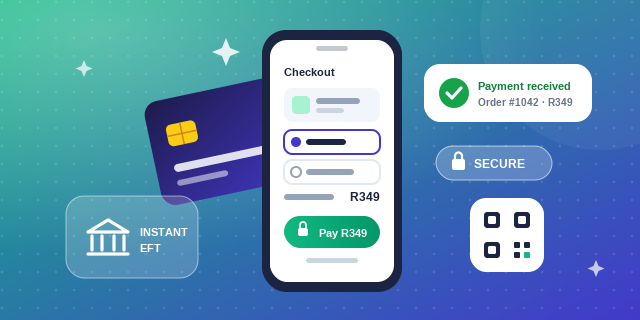
- Instant EFT: the customer pays straight from their bank account by logging in to their bank through a secure page. Popular with people who don't like using cards online. You see the payment immediately.
- Manual EFT (bank transfer): the customer pays into your bank account and sends proof of payment. It costs you nothing in fees, but you have to check every payment by hand, and the order waits until the money clears.
- QR code and app payments: the customer scans a code with a payment app on their phone. Handy at markets and in-store, and some shops offer it online too.
- Buy now, pay later: the customer pays in a few instalments, often interest-free, while you're paid upfront by the provider. It can help with bigger purchases like furniture, electronics or school uniforms.
- Cash on delivery or collection: some local shops still offer it, but it carries more risk (no-shows, cash handling), so most online shops avoid it or limit it to collection.
What is a payment gateway?
A payment gateway is the company that takes the payment for you. When a customer clicks Pay, your shop sends them to the gateway's secure page (or opens it inside your checkout). The gateway checks the card or bank payment, tells your shop the order is paid, and later pays the money into your bank account.
Why use one instead of building it yourself?
- Security: the gateway handles the card details, so your website never stores them. Card security rules (known as PCI DSS) are strict, and gateways are built to meet them.
- Many payment methods in one place: one gateway account can often give you cards, instant EFT and more.
- Automatic order updates: your shop knows straight away which orders are paid, so you can pack and ship without checking your bank statement.
What does it cost?
Payment gateways usually charge a percentage of each sale, sometimes plus a small fixed fee per transaction. Some also charge a monthly fee, a fee to pay money out to your bank, or extra for certain payment methods. Prices change, so always check the provider's own pricing page.
When you compare, look at:
- The fee per transaction, for the payment methods your customers will actually use.
- Monthly or setup fees: many gateways have none, which is good for a small shop.
- Payout times: how long until the money is in your bank account.
- Refunds and chargebacks: what it costs when a sale is reversed.
What you need to sign up
Gateways have to check who they're paying money to (banks call this FICA or KYC). Expect to be asked for things like:
- your ID (or company registration documents if you trade as a company),
- proof of your bank account, usually a bank letter or statement,
- proof of address,
- your website address and what you sell.
Sole traders can usually sign up too. You don't always need a registered company to start.
Your website will also need a few pages before most gateways approve you: contact details, delivery information, a returns and refunds policy, terms and conditions and a privacy policy. These pages build trust with customers too. Our website checklist for small businesses covers them.
How to choose a payment gateway
Ask these questions:
- Does it offer the payment methods my customers want? Card and instant EFT at least.
- Does it work with my shop software? A ready-made connection saves you a lot of time and mistakes.
- Are the fees clear? You should be able to work out exactly what you'll pay.
- How quickly do I get paid?
- Is there a test mode? You should be able to try a payment before you go live.
- Is support local and easy to reach when a payment goes wrong?
Keep your payments safe
- Use SSL (the padlock) on your whole website, not only the checkout. Good hosting includes it free.
- Turn on two-factor login for your gateway account and your shop's admin. If someone gets into your gateway account, they can change where your money is paid out.
- Be careful with "proof of payment" for manual EFT. Fake proof-of-payment slips are a common scam: only ship when the money is actually in your account. More in our guide to keeping your accounts secure in the age of AI.
- Watch for orders that look odd: very large orders from new customers, many failed card attempts, or a delivery address far from the billing address.
Payments with SaleCart
SaleCart, the online shop software from Afriweb, takes payments by PayFast and EFT, and has built-in connections for other South African gateways (Yoco, Ozow, Paystack and Peach Payments) and for buy-now-pay-later providers (Payflex, PayJustNow and Happy Pay). You switch on the ones you want from your shop's admin and add your own account details from the provider. Orders update automatically when a payment comes in, so you can focus on packing and shipping.
Want to see how it all fits together? Take a look at SaleCart, or start with our free online ecommerce course: chapter 7 is all about getting paid safely.
Frequently asked questions
What is the easiest way to accept card payments on my website?
Sign up with a payment gateway that works with your shop software. Customers pay on the gateway's secure page, your shop is told the order is paid, and the money is paid into your bank account.
Do I need a registered company to accept online payments?
Not always. Many South African payment gateways accept sole traders. You will need your ID, proof of your bank account and address, and a website that shows what you sell.
What is instant EFT?
Instant EFT lets a customer pay straight from their bank account by logging in to their bank through a secure page. You see the payment immediately, unlike a normal EFT where you wait for the money to clear.
How much do payment gateways charge?
Most charge a percentage of each sale, sometimes plus a small fixed fee per transaction. Some also have monthly or payout fees. Fees change, so check each provider's current pricing and work it out on a typical order.
Is manual EFT safe for my shop?
It costs nothing in fees, but only ship once the money is actually in your account. Fake proof-of-payment slips are a common scam.